Incorporate Flyweight AI Chatbot nelle vostre pagine Shopify per un supporto migliore
Scoprite come incorporare facilmente Flyweight AI Chatbot direttamente nelle vostre pagine Shopify, per aiutare i clienti più in fretta, automatizzare meglio il supporto e ricevere meno ticket.

Potete incorporare Flyweight AI Chatbot in qualsiasi pagina del vostro store Shopify, per esempio nella pagina Support, Contact o FAQ. Il nostro AI chatbot for Shopify vi aiuta ad automatizzare l'assistenza in tutto lo store.
Il vantaggio è semplice: i clienti ricevono risposte più in fretta, il vostro team di supporto gestisce meno domande ripetitive e le conversazioni vengono indirizzate automaticamente verso il posto giusto.
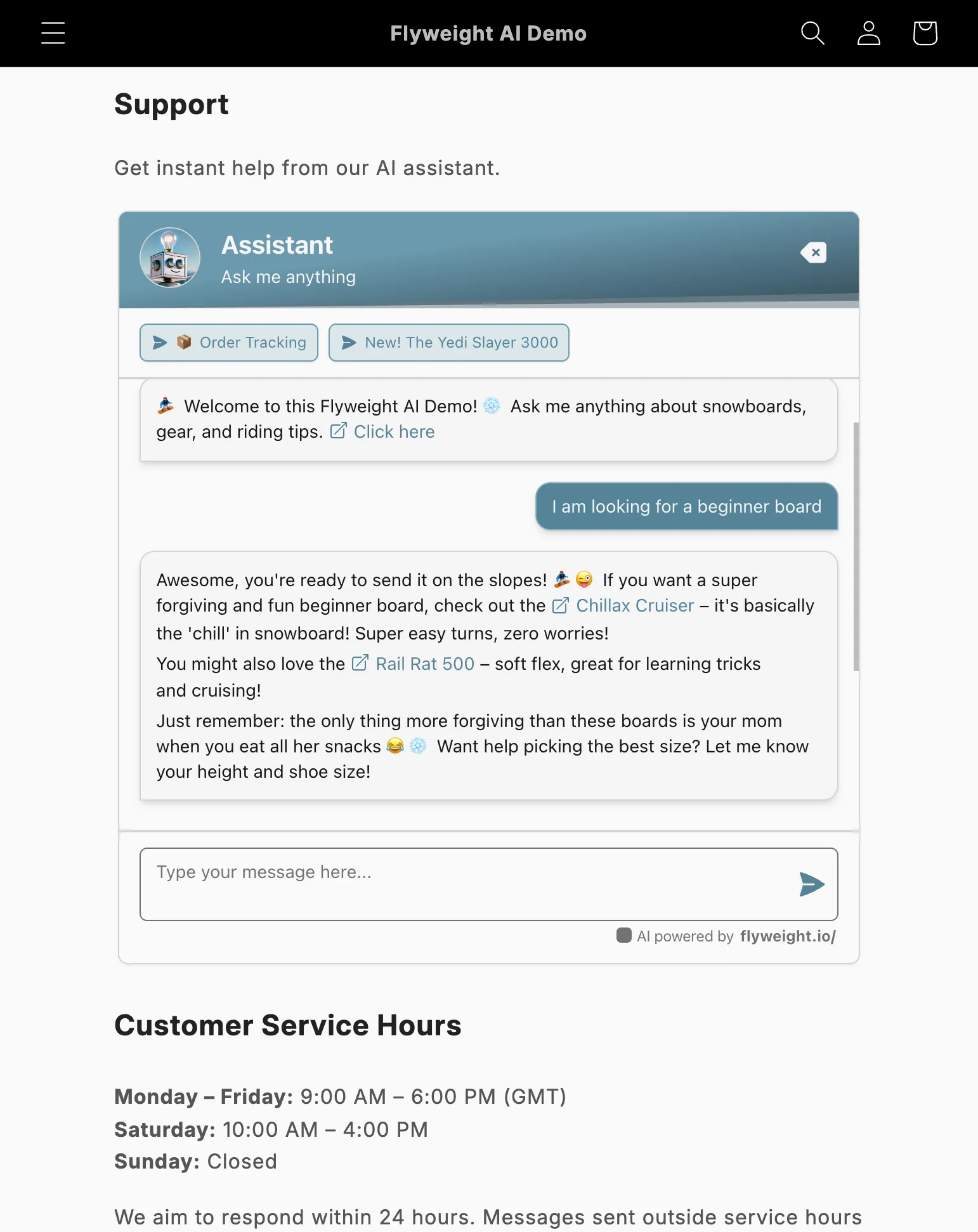
Example of an embedded AI chatbot on a Shopify contact us page
Perché incorporare la chat direttamente nella pagina?
Una finestra di chat integrata aiuta i visitatori a partire dall'AI prima di contattare il vostro team.
Così risparmiate tempo e riducete il numero di ticket in arrivo.
Perché funziona:
- I clienti ricevono assistenza immediata.
- Il vostro team di supporto gestisce meno ticket.
- Potete semplificare o ridurre le altre opzioni di contatto.
- Se l'AI non trova la risposta, inoltra automaticamente la conversazione al vostro team di supporto.
Opzione 1: incorporare tramite HTML
Se preferite modificare il tema direttamente, potete incorporare la chat con un breve snippet HTML.
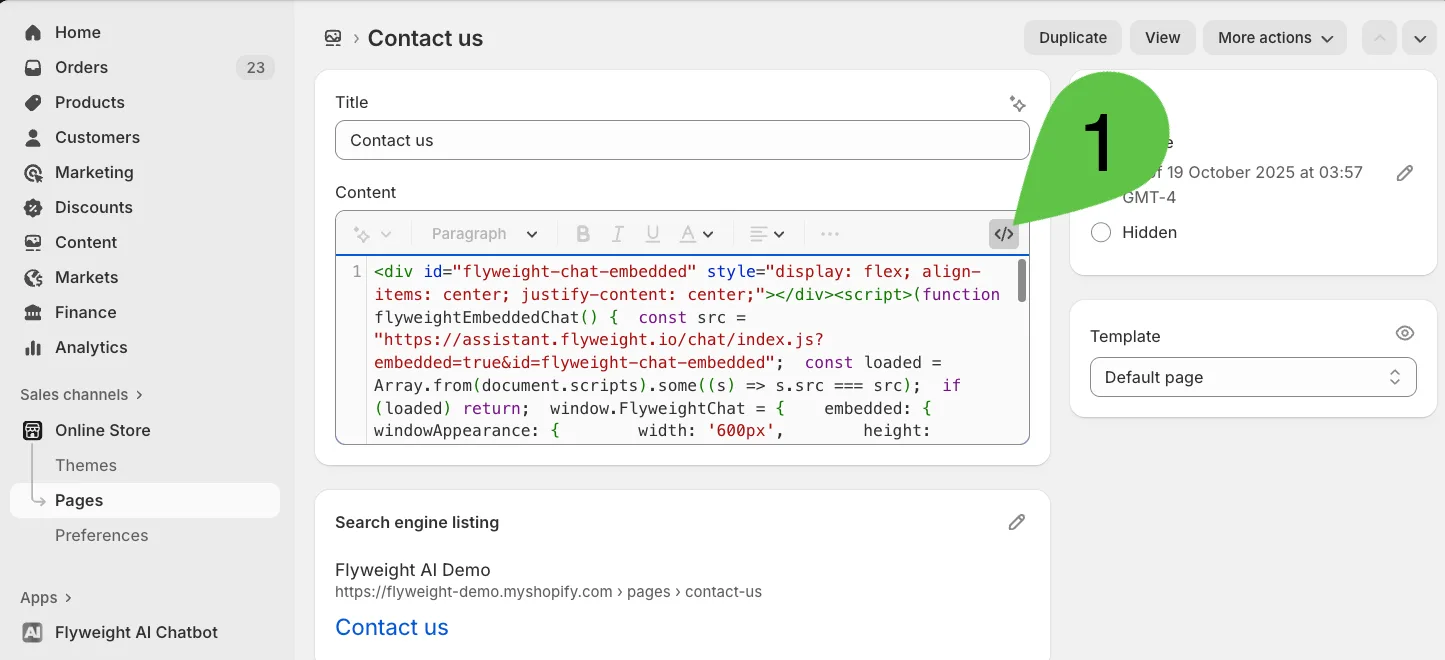
- Andate alla pagina che volete nel vostro Shopify Admin.
- Aprite l'editor HTML.
- Incollate il codice qui sotto nel punto in cui volete mostrare la chat.
💡 Importante: dovrete aggiungere la vostra API key allo snippet.
Ecco come trovare la vostra API key →
<div id="flyweight-chat-embedded" style="display: flex; align-items: center; justify-content: center;"></div>
<script>
(function flyweightEmbeddedChat() {
  const src = "https://assistant.flyweight.io/chat/index.js?embedded=true&id=flyweight-chat-embedded";
  const loaded = Array.from(document.scripts).some((s) => s.src === src);
  if (loaded) return;
  window.FlyweightChat = {
    embedded: {
      windowAppearance: {
        width: '600px',
        height: '600px',
      },
    },
  };
  const script = document.createElement('script');
  script.src = src;
  script.async = true;
  script.dataset.apiKey = "AGGIUNGETE QUI LA VOSTRA API KEY";
  document.head.appendChild(script);
})();
</script>
Opzione 2: aggiungere tramite Template Section
Se preferite usare il Theme Editor, potete aggiungere Flyweight AI come App Section.
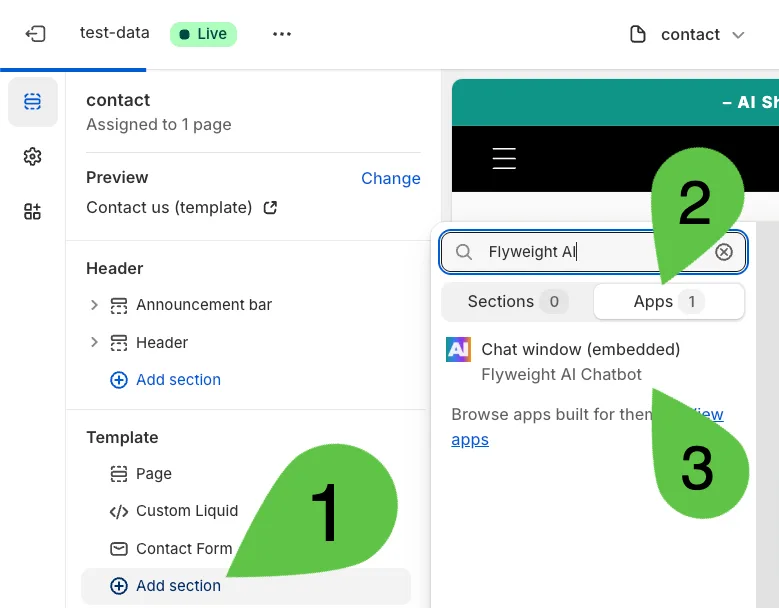
- Aprite il template della pagina che volete nel vostro Theme Editor.
- Fate clic su “Add Section.”
- Aprite la categoria “Apps”.
- Selezionate “Flyweight AI.”
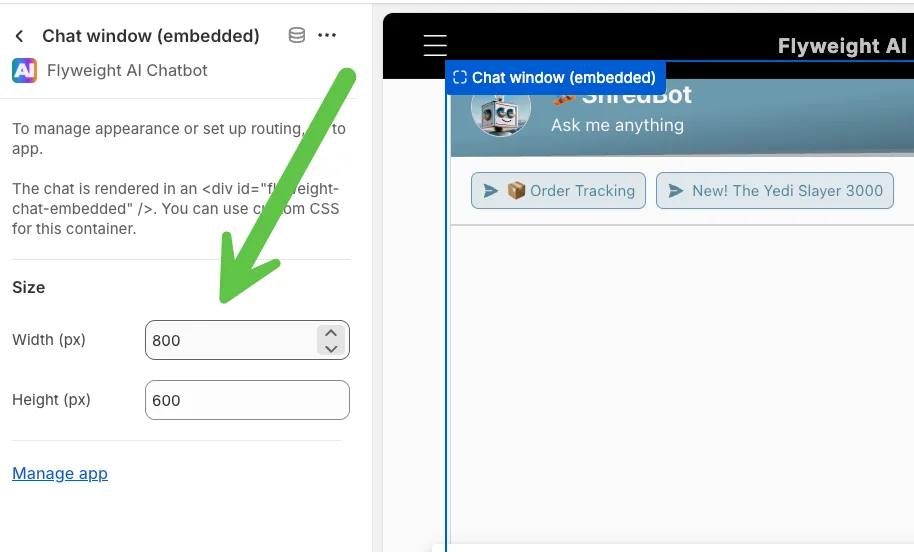
- Spostate e ridimensionate la sezione come preferite.
Conclusione
Bastano pochi clic per incorporare Flyweight AI Chatbot direttamente nelle pagine del vostro Shopify store.
In questo modo i clienti possono ricevere supporto immediato e intelligente a qualsiasi ora, mentre il vostro team resta concentrato sulle conversazioni a più alto valore.
Pro Tip: usate la funzione di routing di Flyweight AI per inviare automaticamente le richieste alla persona giusta quando l'AI non riesce a rispondere.

 Ice Barrel
 STAY SPICED !
 Australian Bodycare
 Pullup & Dip
 Venen Engel
 VEYNOU