Integrad Flyweight AI Chatbot en vuestras páginas de Shopify para mejorar el soporte
Aprended a integrar fácilmente Flyweight AI Chatbot directamente en vuestras páginas de Shopify, para ayudar más rápido a vuestros clientes, automatizar mejor y reducir tickets.

Podéis insertar el Flyweight AI Chatbot en cualquier página de vuestra tienda Shopify, como Soporte, Contacto o Preguntas frecuentes. Nuestro AI chatbot for Shopify os ayuda a automatizar la atención al cliente en toda la tienda.
La ventaja es clara: vuestros clientes consiguen respuestas más rápido, vuestro equipo de soporte recibe menos preguntas repetitivas y las conversaciones se envían automáticamente al lugar adecuado.
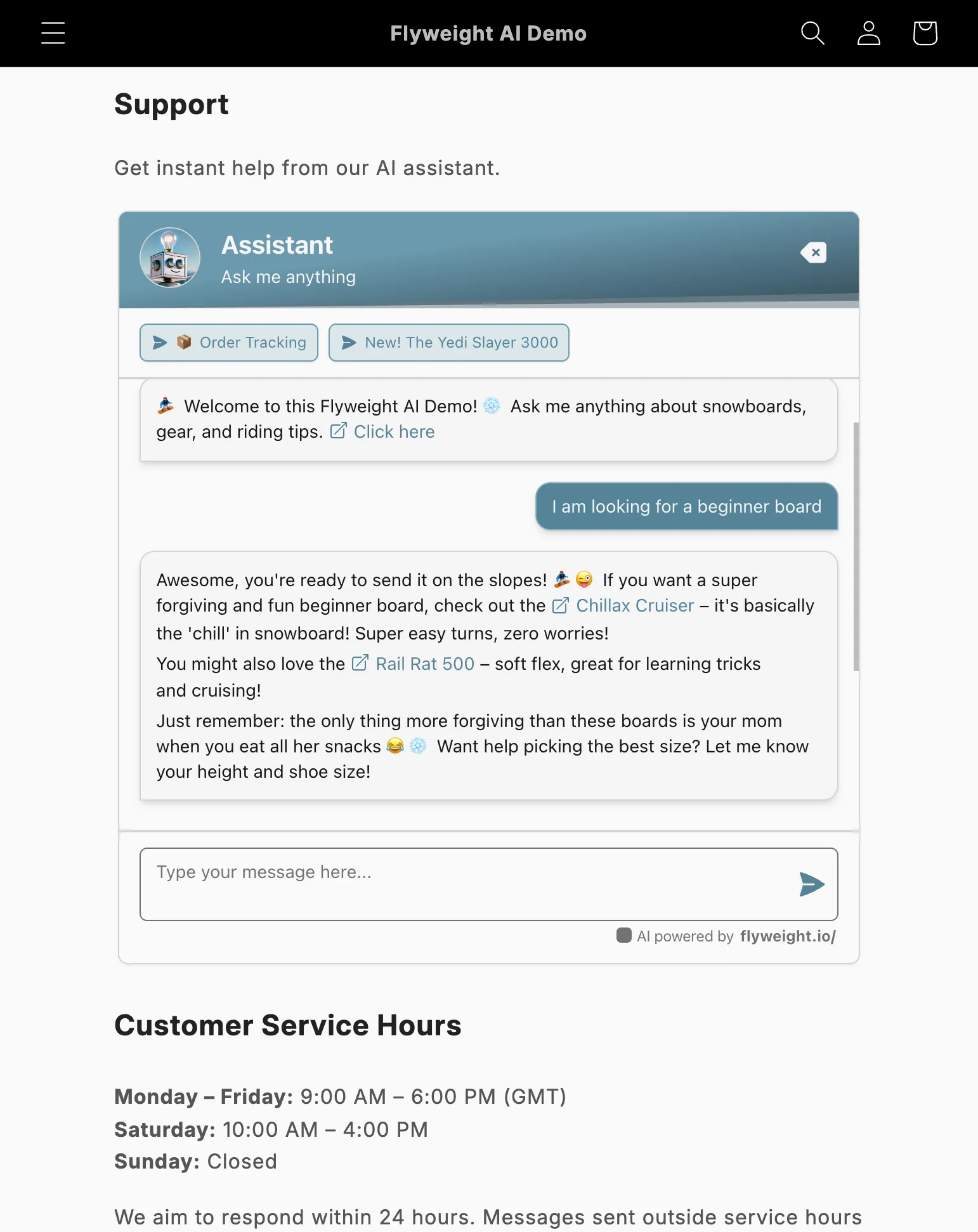
Example of an embedded AI chatbot on a Shopify contact us page
¿Por qué insertar el chat directamente?
Un chat insertado en la página ayuda a que los visitantes empiecen con la IA antes de contactar con vuestro equipo.
Eso ahorra tiempo y reduce los tickets de soporte que os llegan.
Por qué funciona:
- Los clientes reciben ayuda al instante.
- Vuestro equipo de soporte gestiona menos tickets.
- Podéis simplificar o reducir otras opciones de contacto.
- Si la IA no encuentra la respuesta, envía la conversación automáticamente a vuestro equipo de soporte.
Opción 1: Insertarlo con HTML
Si os gusta editar el tema directamente, podéis insertar el chat con un pequeño fragmento de HTML.
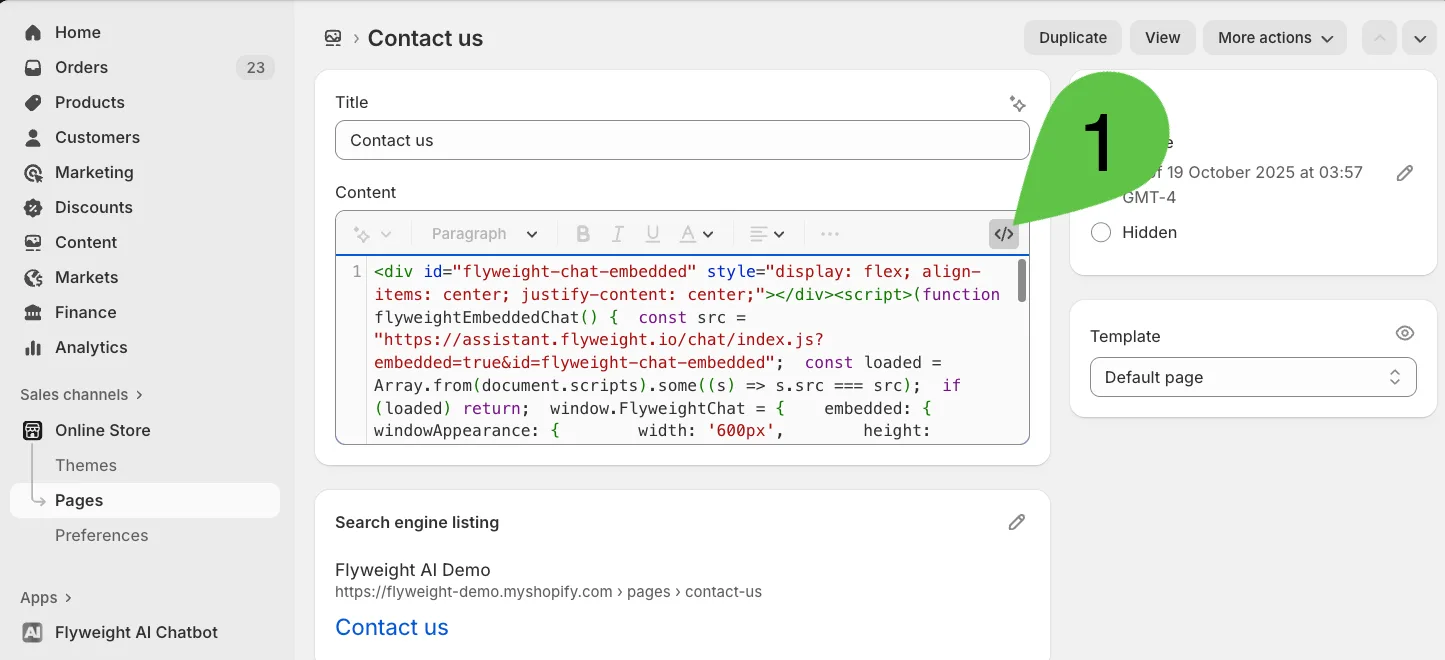
- Id a la página que queréis en vuestro Shopify Admin.
- Abrid el editor HTML.
- Pegad el siguiente código donde queráis que aparezca el chat.
💡 Importante: Tendréis que añadir vuestra API key al fragmento.
Aquí tenéis cómo encontrar vuestra API key →
<div id="flyweight-chat-embedded" style="display: flex; align-items: center; justify-content: center;"></div>
<script>
(function flyweightEmbeddedChat() {
  const src = "https://assistant.flyweight.io/chat/index.js?embedded=true&id=flyweight-chat-embedded";
  const loaded = Array.from(document.scripts).some((s) => s.src === src);
  if (loaded) return;
  window.FlyweightChat = {
    embedded: {
      windowAppearance: {
        width: '600px',
        height: '600px',
      },
    },
  };
  const script = document.createElement('script');
  script.src = src;
  script.async = true;
  script.dataset.apiKey = "AÑADID VUESTRA API KEY AQUÍ";
  document.head.appendChild(script);
})();
</script>
Opción 2: Añadirlo desde una Template Section
Si preferís usar el Theme Editor, podéis añadir Flyweight AI como una App Section.
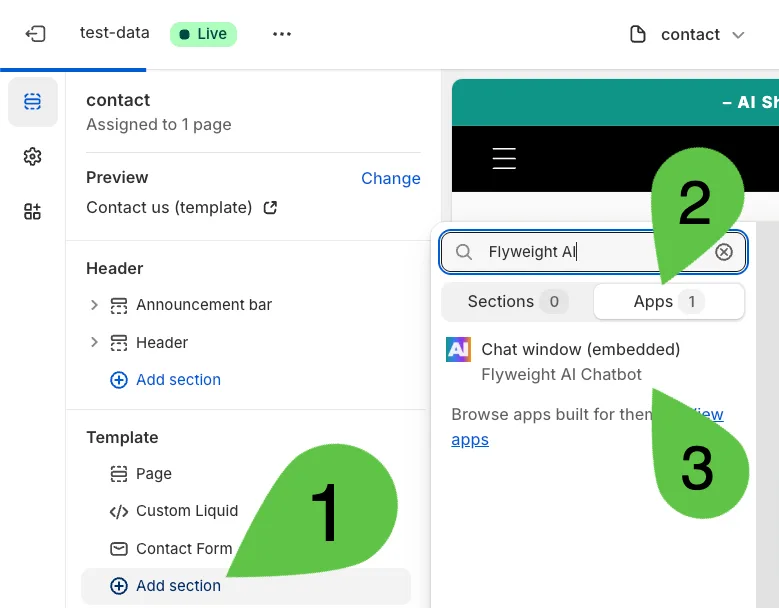
- Abrid la plantilla de página que queréis en vuestro Theme Editor.
- Haced clic en “Add Section.”
- Abrid la categoría “Apps”.
- Seleccionad “Flyweight AI.”
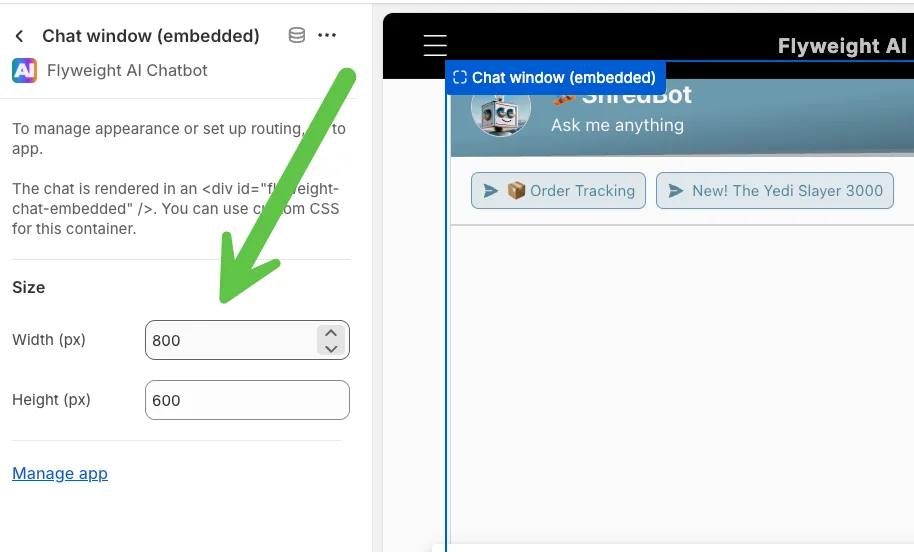
- Movid y ajustad el tamaño de la sección como queráis.
Conclusión
Solo hacen falta unos clics para insertar el Flyweight AI Chatbot directamente en vuestras páginas de Shopify.
Así, los clientes pueden recibir soporte inteligente al instante a cualquier hora, mientras vuestro equipo se centra en conversaciones de más valor.
Consejo pro: Usad la función de routing de Flyweight AI para enviar automáticamente cada solicitud a la persona adecuada cuando la IA no pueda responder.

 Ice Barrel
 STAY SPICED !
 Australian Bodycare
 Pullup & Dip
 Venen Engel
 VEYNOU