Meta Conversation Routing: Make Sure Your AI Actually Gets the Message
Set Flyweight AI as the default routing app in Meta Business Manager so your Instagram and Messenger DMs reach your Shopify AI chatbot instead of getting stuck.

Why This One Setting Decides Who Answers
You connected Instagram or Messenger to Flyweight AI. The channel shows as connected. Then a customer sends a DM, and nothing happens. No reply. No error. Just silence.
Most of the time, the issue is conversation routing.
Connecting a channel in Flyweight is only half the setup. Meta still decides which app gets to receive and reply to each message. Meta retired the old Handover Protocol for Instagram and replaced it with Conversation Routing, where one app needs to be picked as the default responder.
If no app is picked:
- Every connected app may receive the same message, which can lead to duplicate or competing replies
- Or the message stays in Meta's own inbox and never makes it to Flyweight AI
Either way, your AI looks broken when the conversation just hasn't been routed to it.
👉 New to setup? Start with Instagram, WhatsApp and Messenger for your Shopify AI chatbot, then come back here.
When You Need to Do This
Set conversation routing if:
- ✅ Your AI isn't replying to Instagram DMs or Messenger messages
- ✅ Replies are taking much longer than the usual few seconds
- ✅ You're using another tool on the same inbox, like Meta Business Suite, a help desk, or a marketing bot
- ✅ You just connected a new channel and want to avoid issues upfront
It takes about a minute.
Set It Up in 3 Steps
1. Open Conversation Routing
Go to your Meta Business Manager and open Settings → Integrations → Conversation routing.
Shortcut: business.facebook.com/latest/settings/conversation_routing
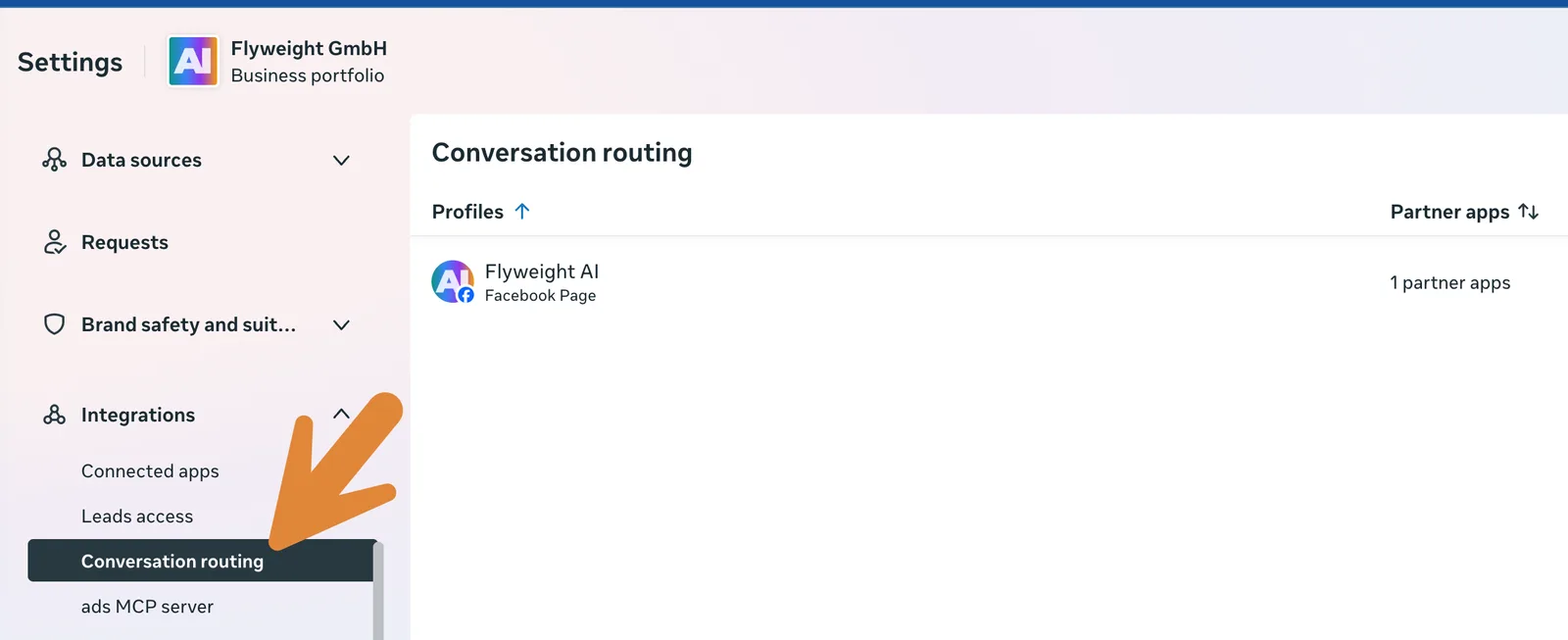
2. Pick the Profile and Hit Set Up
Choose the profile you want to route: your Facebook Page or your Instagram account. Then click Set up.
Meta will show the routing paths available based on how the conversation started: a campaign (from a messaging ad), a link (from a messaging link), or social (organic DMs). The default path is the important one, because that's where most day-to-day customer messages land.
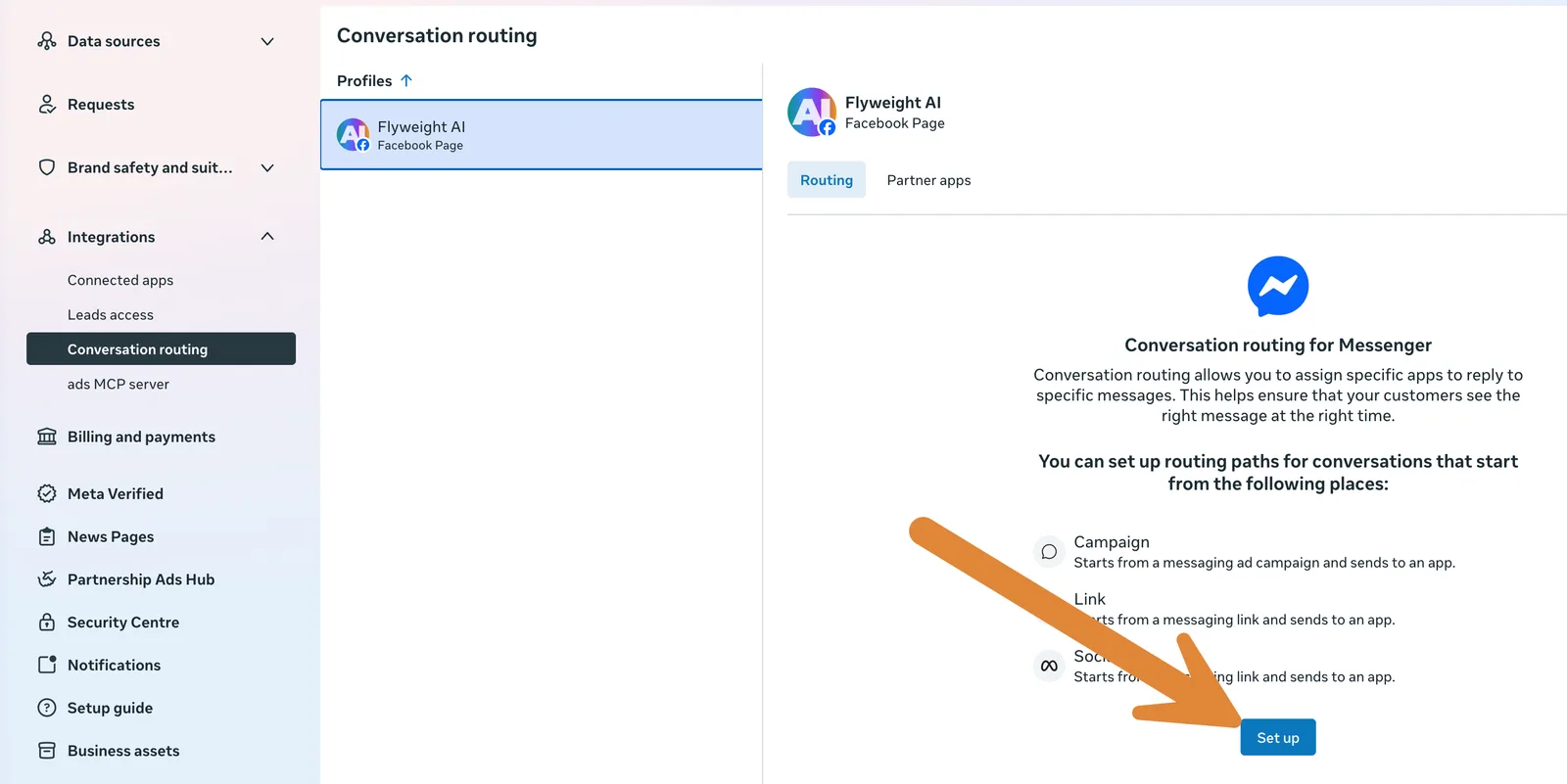
3. Choose Flyweight AI
Select Flyweight AI from the dropdown and click Continue. Your primary conversation routing is now saved.
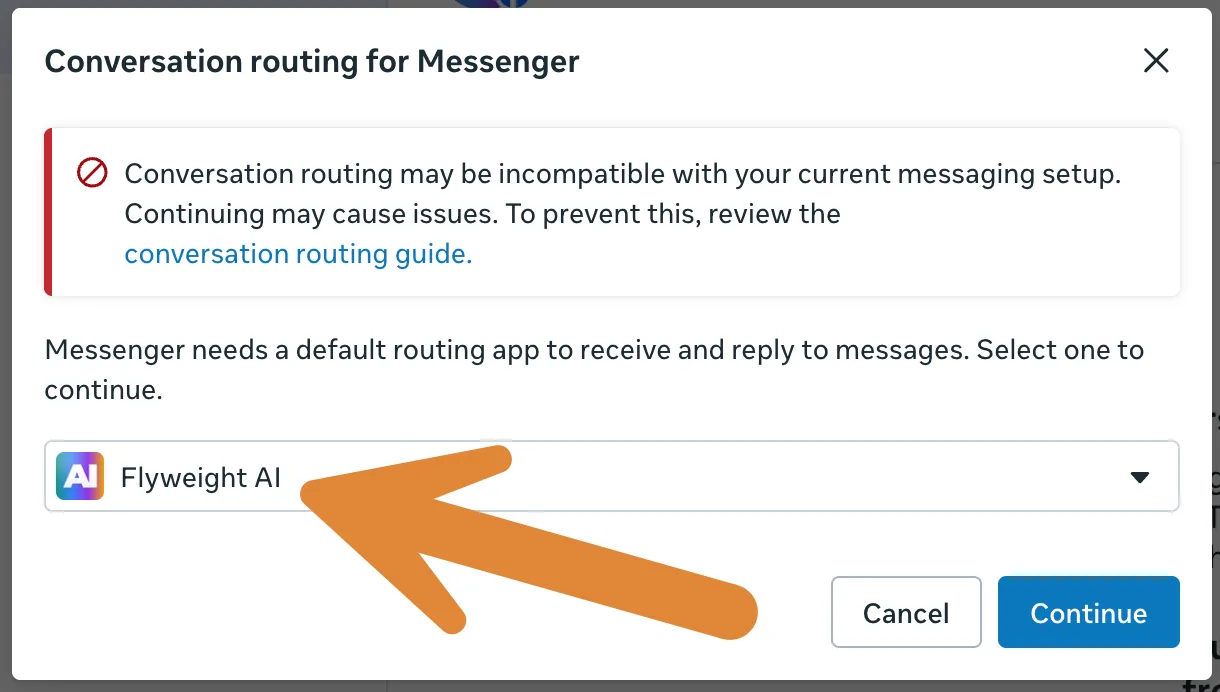
You might see a warning that routing "may be incompatible with your current messaging setup". That's Meta's generic notice for accounts with more than one connected app. It's expected, and it's the exact conflict you're fixing here.
Do It Per Channel
Routing is set per profile, not once for your whole business. So if you're using both Instagram and Messenger with Flyweight AI, you need to set it for both:
- Your Instagram account
- Your Facebook Page
Same three steps each time.
Still Not Replying? Check These
If the AI is still quiet after routing is set, check these next:
Another app is taking the conversation. Open the Partner apps tab on the same screen. If you see other apps listed, switch Take control of conversation off for them. They can pull messages away from Flyweight AI in the middle of a conversation.
Permissions aren't fully enabled. In Partner apps, click Manage next to Flyweight AI and make sure the permission toggles are turned on, then save.
Instagram's own app setting is blocking access. Instagram has a separate switch in the mobile app under Settings and activity → Messages and story replies → Message requests → Allow access to messages. If that's off, connected tools can't see your DMs. We walk through it with screenshots in the channels article.
Why Meta Works This Way
It makes sense once you see the setup. Brands often run multiple tools on one inbox: a marketing bot for ad replies, a help desk for support, and an AI for everything else. Without some kind of traffic control, they could all reply at once and your customer would get three different answers.
Conversation routing is that traffic controller. You're simply telling Meta: organic DMs go to Flyweight AI.
That's It 🚀
One dropdown, and your Instagram and Messenger conversations go where they should. Your AI answers using your real store knowledge, in your brand voice, and your team can still jump in anytime.
Stuck on a step? Reach out and we'll take a look with you.

 Ice Barrel
 STAY SPICED !
 Australian Bodycare
 Pullup & Dip
 Venen Engel
 VEYNOU