Turn Your Shopify Store Search into an All-Knowing, On-Brand AI Search
Shopify search only finds exact wording, so synonyms, product numbers and descriptions come up empty. AI Search understands what shoppers actually mean and finds the right products in your store, and it activates in one click.

Shopify Search Finds Exact Words. Shoppers Don't Use Them.
Shopify's built-in search is great when a shopper types the exact wording from your listing. For everything else - synonyms, descriptions, product numbers, a small typo - it falls short and shows an empty results page.
And every empty search is a shopper who couldn't find something you actually sell.
A shopper searches
“waterproof coat”
Same query. Search sees nothing; AI Search understands what the shopper means.
Meet AI Search: Store Search That Runs on Your Brand AI
Our aim is to unlock more and more ways to put your brand AI to work. We're starting with AI Search.
It runs on the same brand AI as your AI chatbot for Shopify - so it understands full context, product numbers, synonyms, and the way real people describe things. No matter how a shopper searches, the AI finds it in your store.
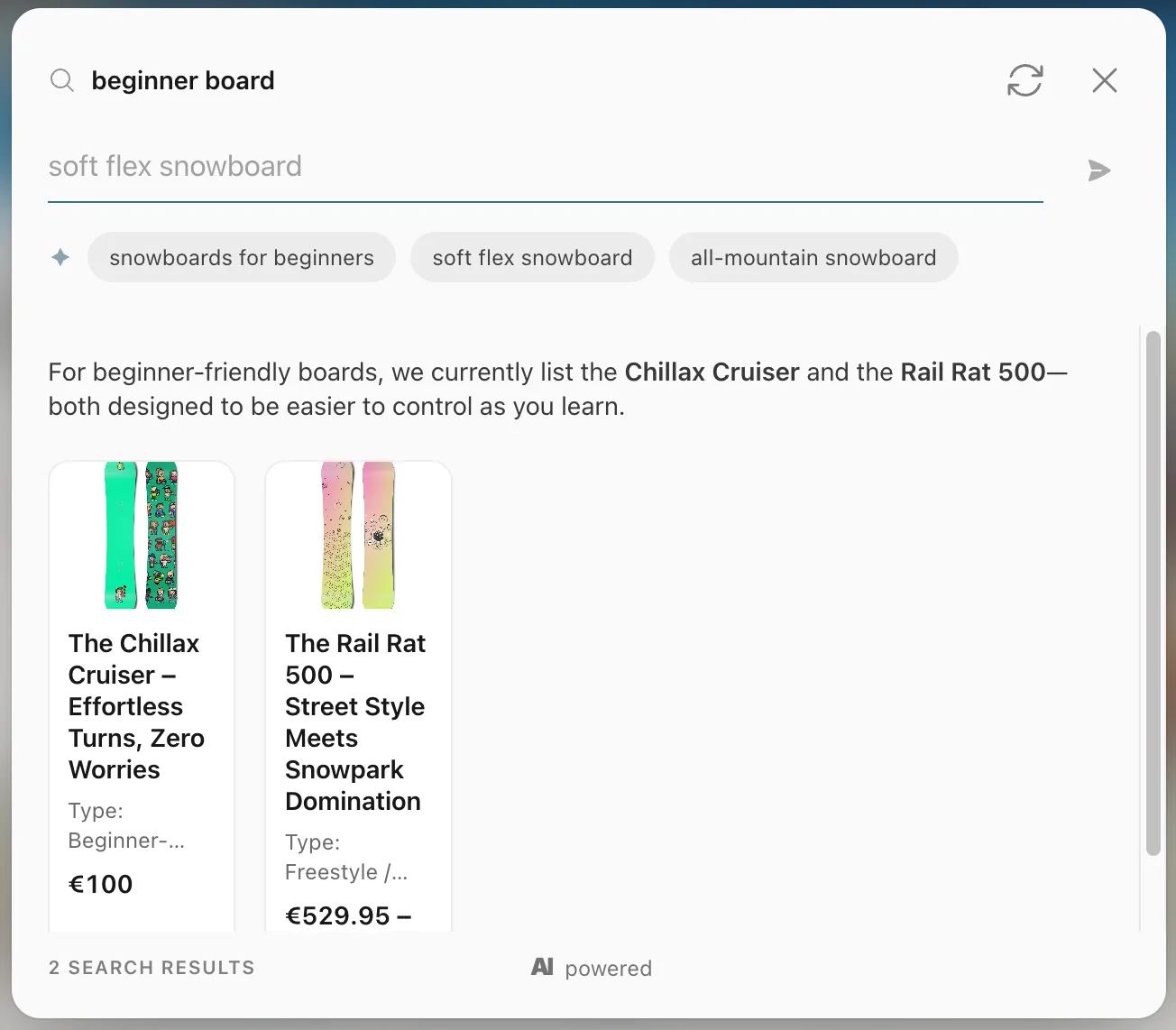
Activate AI Search in One Click
AI Search turns your existing static search into AI - no rebuild, no theme surgery. You can test it in preview first, then flip it live with a single click.
Where AI Search Takes Over
Search results page
When a shopper lands on your storefront search page (/search), AI Search answers their query instead of the standard results.
Search box
When a shopper clicks or submits your theme's own search box, AI Search opens right there - no need to leave the page.
How to Turn It On
Open the Setup page in your Flyweight app and activate AI Search.
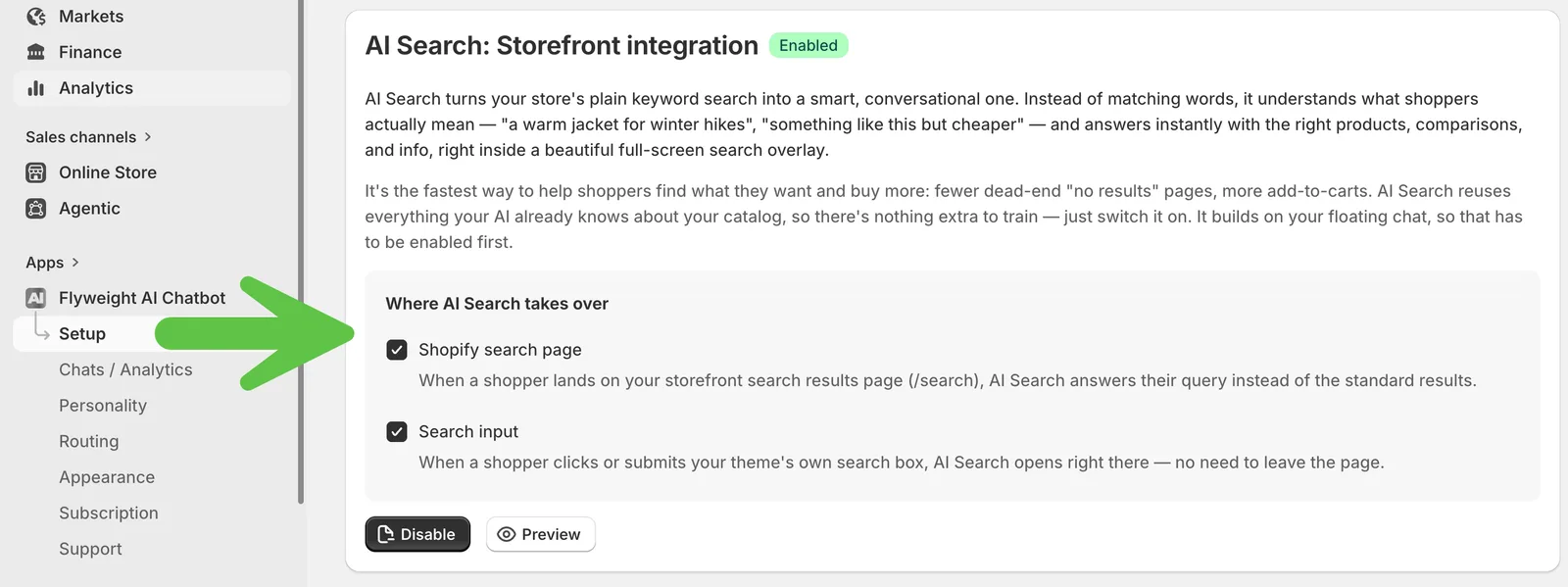
Refresh your storefront and AI Search is live.
See What Shoppers Are Searching For
As soon as customers start using it, every query shows up under Analytics in the new Search tab.
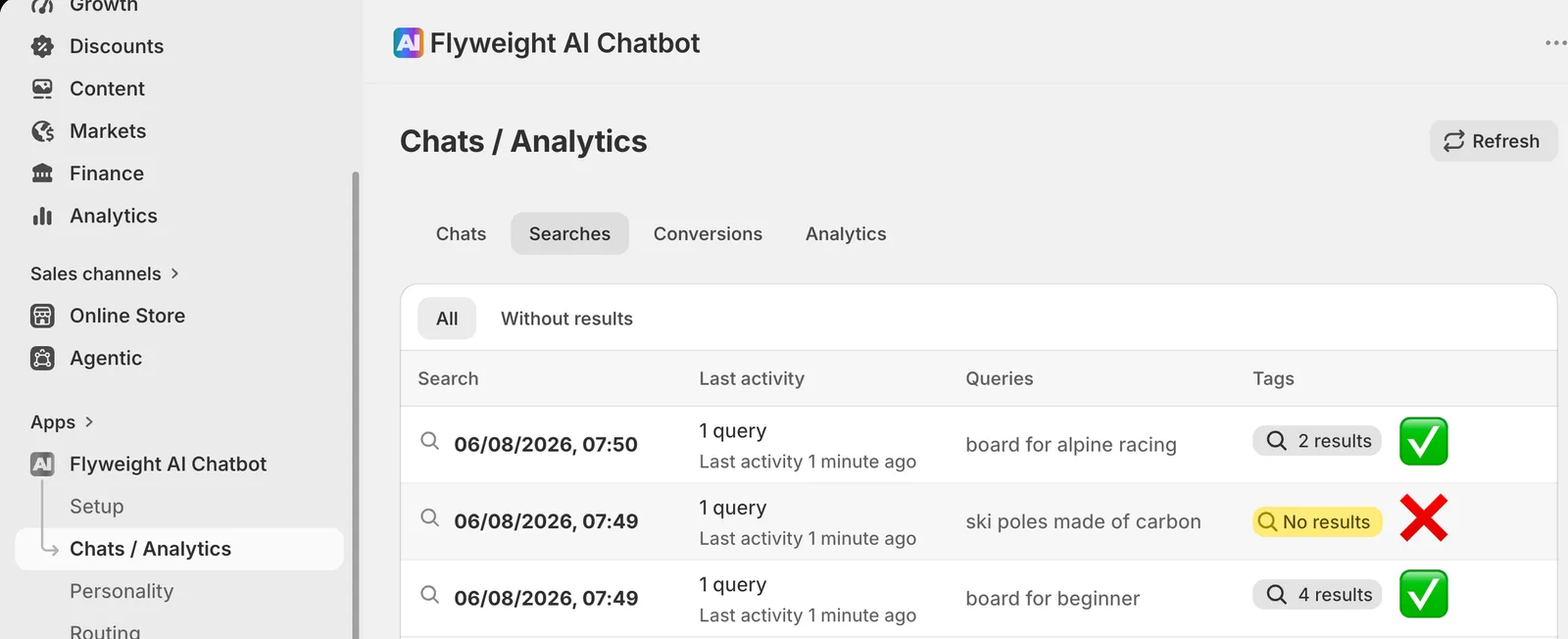
Pro tip: filter for empty searches to spot exactly which products or content gaps to fill - it's demand your store isn't meeting yet.
This Is Just the Start
AI Search is only the beginning. We're expanding where and how you can use your Brand AI across every customer touchpoint - inside your store and across channels like Instagram, WhatsApp, Facebook Messenger, and customer support, where it can answer questions and draft ticket responses.
Learn more about Flyweight Channels.
The same Brand AI, backed by your Knowledge Graph, everywhere your customers connect with you.
👉 Want AI Search on your store? Get Flyweight on the Shopify App Store and switch your search to AI in one click.

 Ice Barrel
 STAY SPICED !
 Australian Bodycare
 Pullup & Dip
 Venen Engel
 VEYNOU