Flyweight: How to Find Your API Key for the Shopify AI Chatbot
Step-by-step guide to finding your Flyweight AI Chatbot API key in Shopify. Required for embedding the chatbot on contact or support pages.

The API key only comes up in a few specific cases, like when you want to embed the Flyweight AI Chatbot full-screen on your Contact or Support page. If you want the bigger picture first, here’s more on our AI chatbot for Shopify and what it can do.
👉 For step-by-step embed help, see these related articles:
How to find your API Key in Preview
-
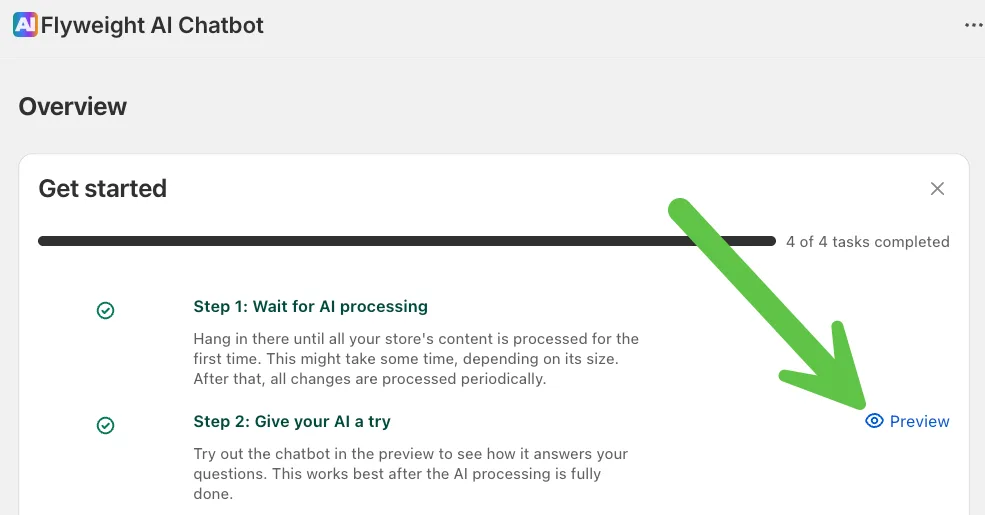
Open the chat preview in the Flyweight app.
There are a few places where you can launch the preview.Example from the main page:
 Or from the routings page:
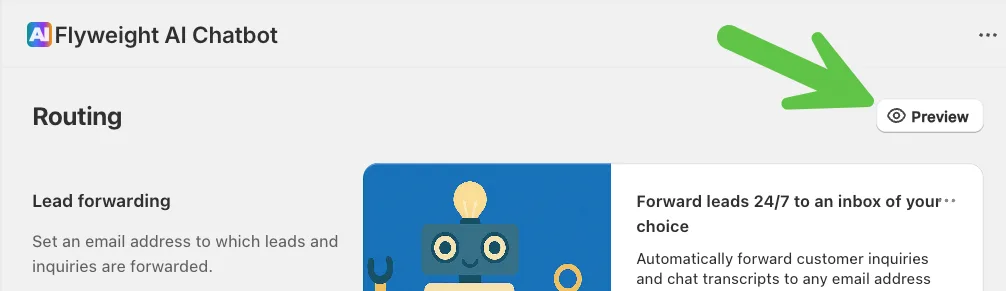
-
Click “Preview”.
This takes you to the chat preview page. -
Find
apiKey=in the URL.
Everything afterapiKey=is your API key.Example:
https://chat.flyweight.io/preview?apiKey=eb625ea7-9c9c-132b-839t-d21a53809ti5

Relevant is: eb625ea7-9c9c-132b-839t-d21a53809ti5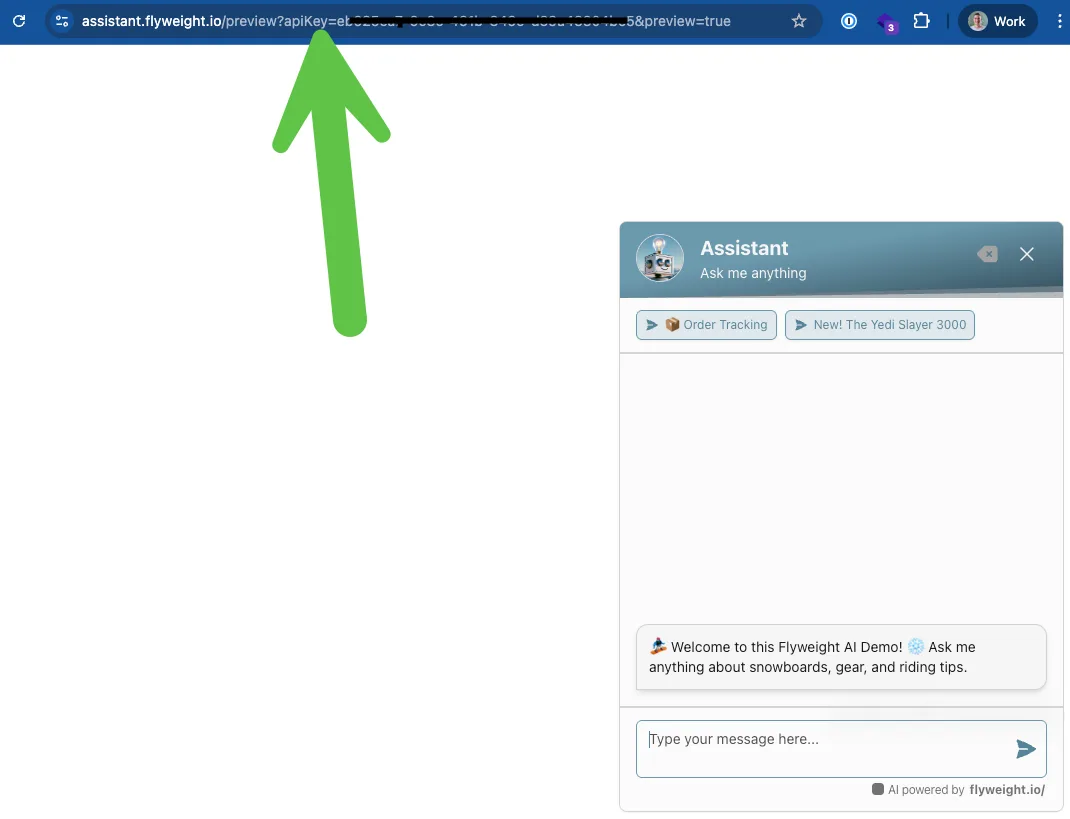
Example usage of the API Key
If you want to embed the chat full-screen on your Support page, add your API key to the embed code.
For the full setup walkthrough, see:
👉 Shopify AI Chatbot Embed
Tip:
Your API key is sensitive information. Don’t share it publicly, and store it somewhere secure, since it gives access to your chatbot.

 Ice Barrel
 STAY SPICED !
 Australian Bodycare
 Pullup & Dip
 Venen Engel
 VEYNOU