Flexible Embeds
Use the default floating chat bubble - or embed the chat directly into any page.
Flyweight AI gives you two ways to put chat in front of shoppers: a floating chat bubble that appears across your store by default, and an optional inline embed you can place on any page. Both use the same AI-first setup. Live chat and human takeover are included at no extra cost, and billing is based on AI Interactions, not seats.
Floating Chat Bubble - Enabled on Every Page by Default
When you add the chatbot to your Shopify store, the floating chat bubble shows up on every page right away. So customers can get help wherever they are in the buying journey.
You can place the bubble in any corner of your storefront. When someone clicks it, the full AI chat window opens.
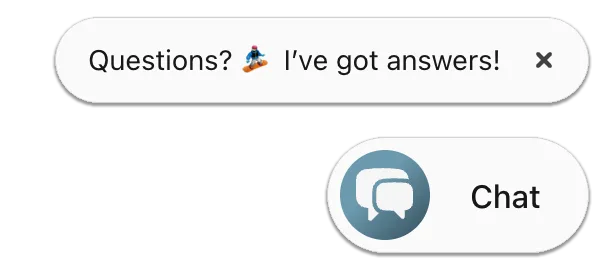
It gives you store-wide coverage with almost no setup.
What you get out of the box
- Store-wide reach: the bubble follows shoppers from the homepage to product pages to checkout.
- Corner of your choice: place it where it fits your storefront best.
- One click to full chat: clicking the bubble opens the complete AI chat window, grounded in your real store data.
Inline Embedded Chat (Optional Full-Size Placement)
Alongside the floating bubble, Flyweight also lets you embed chat directly into any Shopify page. This gives you a full-size chat window that lives inside the page content instead of floating on top of it. It's a great fit for high-support pages like:
- Contact & Support pages
- FAQ or Help Center pages
- Product detail pages
- Landing or onboarding flows
Here’s what an inline embedded chat looks like:
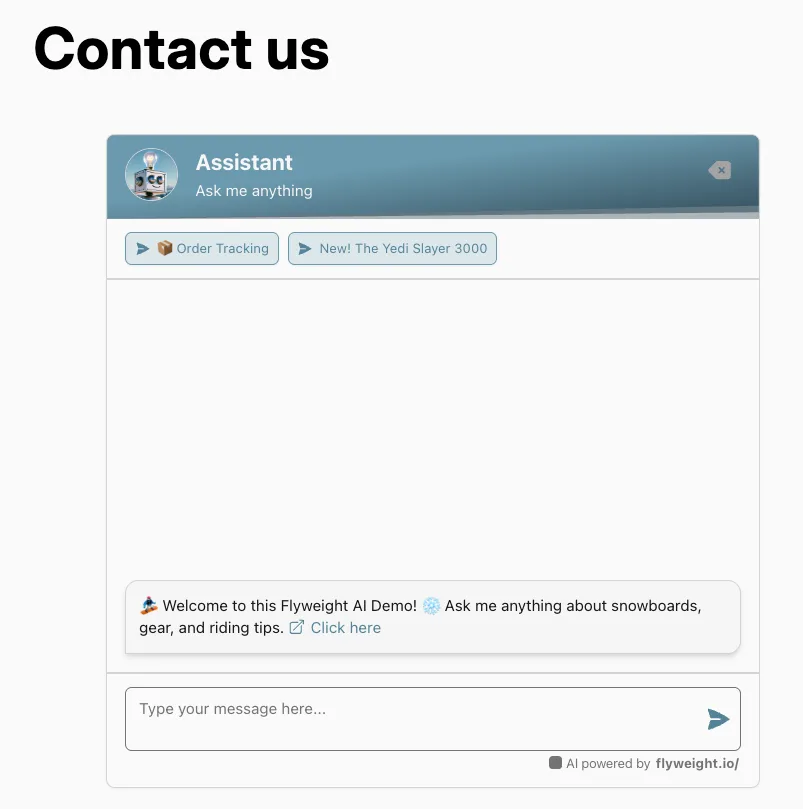
You can add the inline embed through Shopify's Theme Editor or with an HTML block, so it sits natively inside the page you choose. For step-by-step setup, check out our full guide: How to Embed Flyweight AI into Shopify Pages, available in 🇺🇸 English and 🇩🇪 German.
Where inline embeds work best
Use the inline embed where customers are most likely to need help in the moment. On a Contact or Help Center page, it turns a static form into a live conversation. On a product detail page, it can answer sizing or compatibility questions right in context. In a landing or onboarding flow, it helps shoppers keep moving instead of leaving the page to look for support.
Why It Matters
With both floating and inline placement options, you can fit AI chat to your customer journey instead of forcing one layout across your whole store.
Benefits:
- Instant support everywhere: the default bubble adds help to every page with no extra setup.
- Contextual help where it matters most: inline embeds create on-page support on your highest-intent pages.
- Lower support volume: stronger self-service helps the AI reliably handle routine questions before they reach your team.
- On-brand and seamless: the inline window feels like part of the page, not an overlay.
Flyweight adapts to your store, whether you want all-page coverage, page-specific support, or both.
FAQ
Do I have to set anything up to get the chat bubble?
No. The floating chat bubble appears across your store as soon as you activate Flyweight AI. Inline embeds are the only optional setup.
Can I use the floating bubble and inline embeds at the same time?
Yes. They work well together. Keep the bubble for store-wide coverage, and add inline embeds on the pages where you want a full-size chat window inside the content.
How do I add the inline embed to a Shopify page?
You can place it through Shopify's Theme Editor or with an HTML block on the page you choose. The linked embed guide walks through both options step by step.
Does the inline embed change how I'm billed?
No. Both placements use the same AI agent, with live chat and human takeover included at no extra cost. You only pay for AI Interactions, with no per-seat fees regardless of where the chat appears.
Conclusion
Flexible Embeds help you support customers wherever they need it: a floating bubble for full-store coverage by default, plus optional inline chat windows on your highest-support pages. Both run on the same AI-first foundation, with live chat and human takeover included at no extra cost, so you can shape the experience to fit your store without changing how billing works.

 Ice Barrel
 STAY SPICED !
 Australian Bodycare
 Pullup & Dip
 Venen Engel
 VEYNOU